oTree Forum >
Problem with rooms: participant-specific URLs
#1 by RudyDW
Hi all,

I created a txt file in the \_rooms directory and I updated the ROOMS section in the settings.py.
When I associate that room to a session, I should have participant-specific URLs ending with the labels included in the txt file present in the \_rooms directory but it is not the case.
The txt file seems to be well located by oTree since I don't have an error message telling the the txt file does not exist.

Is there something changed with the rooms since the big oTree update? I am using rooms for years but I haven't use them during the last year.

Here is the code included in the settings.py file for the rooms:
ROOMS = [
    dict(
        name='MLSMM2124',
        display_name='MLSMM2124 - Behavioural Finance class',
        participant_label_file='_rooms/MLSMM2124.txt',
        use_secure_urls=True
    ),
    dict(
        name='MGEHD2209',
        display_name='MGEHD2209 class',
        participant_label_file='_rooms/MGEHD2209.txt',
        use_secure_urls=True
    )
]

Thank you for your help.
Rudy
#2
by
Chris_oTree

I pasted that code and it works fine for me. The participant URLs are in a show/hide section near the bottom.
#3 by RudyDW
Hi Chris,
Thank you for your answer but it does not work.
When I launch the app and then want to create persistent and individual links by setting up a room, the single-use links are replaced by participant-specific URLs that look like this:
http://.../MGEHD2209?participant_label=00027808&hash=057e2da8
Compared with what I had earlier, there is an additional component (&hash=...).
But when I actually create the session and define the number of participants, the participant-specific links change into something like this:
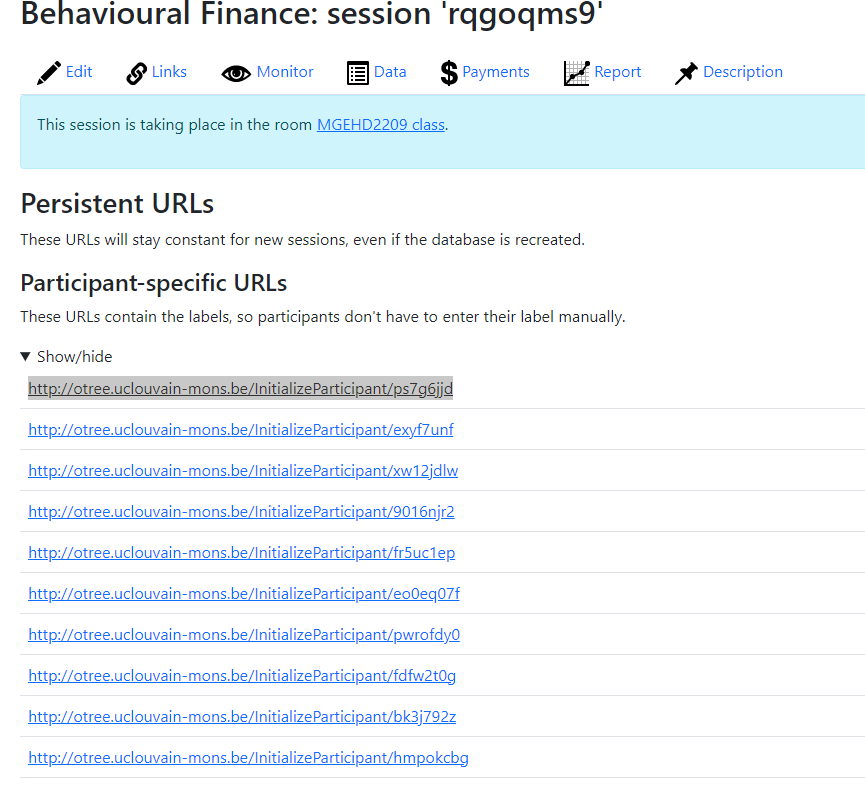
http://.../InitializeParticipant/ps7g6jjd (see attached file)
I don't know what I am doing wrong...
#4
by
Chris_oTree
The room links are available by clicking on the blue banner.
#5 by RudyDW
Ok, I did not look at the right place. You are right and my mistake was double... I also need to drop the "use_secure_urls=True" option in order to drop the end of the room links (&hash=...).
It is solved.
Thank you very much.