#1 by UnluG
Hello!
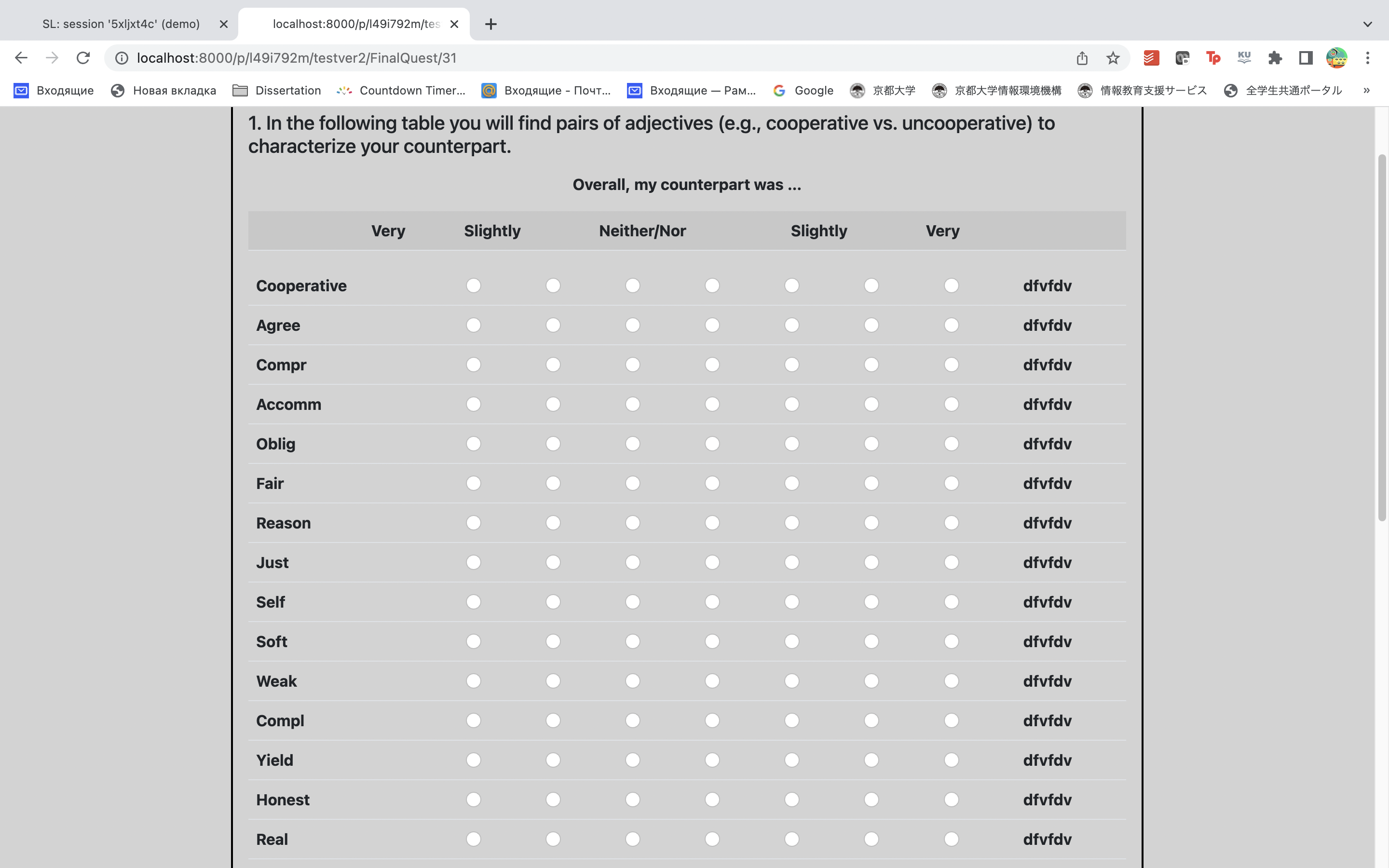
I am trying to add lables on both sides of a table. Can I have two sets of form fields? What other solution do I have?

Pasting code and screenshot here:
init.py
class FinalQuest(Page):
    form_model = 'player'
    form_fields = ['Cooperative','Agree',....]

HTML
<table class ="table table-striped">
    <tr>

        <th></th>
        <th></th>
        <th></th>
        <th></th>
        <th>Very</th>
        <th>Slightly</th>
        <th>Neither/Nor</th>
        <th>Slightly</th>
        <th>Very</th>
        <th></th>
        <th></th>
        <th></th>
        <th></th>

    </tr>

    </table>


    </tr>

</table>


<table class="table">
    {{ for field in form }}
        <tr>
            <th>{{ field.label }}</th>
            <td>{{ for choice in field }}</td>
                <td>{{ choice }}</td>
           <td> {{ endfor }}</td>
            <th>dfvfdv</th>
        </tr>

    {{ endfor }}
</table>
#2 by PaulBanse (edited )
Hey, I know this is late for an answer, but I came across the same problem. I am not a professional Otree developper so I cannot say if my solution is good. It is certainly not optimal, but in case other people have the same question, here is how I did it:
I use the {{ field.label }} as a way to get the label before processing of the Otree template. The Otree preprocessing just changes the template into a html code where your form field label is written between ">" and "<". What you can do is to use javascript to split this html code, get the label, and then you can manipulate it using javascript. Here my form field is
models.IntegerField(widget=widgets.RadioSelect,choices = [k for k in range(1,8)], label = "leftlabel/rightlabel")
So I can use the '/' as a separator to effectively optain the right and left label:
<script>
function printpart(id1, id2)
{
var cB = document.getElementById(id1);
var text = cB.innerHTML;
text = filter(text);
cB.innerHTML = text.split("/")[0];
var cB = document.getElementById(id2);
cB.innerHTML = text.split("/")[1];
}
function filter(text)
{
return text.split(">")[1].split("<")[0]
}
</script>
And then you can call this funtion with the id you define within your for loop :
<table class= center >
{{ for field in form }}
<tr>
<th id = "{{ forloop.counter }}">{{ field.label }}</th> <th></th>
{{ for choice in field }}
<th>  {{ choice }}  </th>
{{ endfor }}
<th id = "{{ forloop.counter }}2"></th>
<script>
printpart("{{ forloop.counter }}","{{ forloop.counter }}2")
</script>
</tr>
{{ endfor }}
</table>
I hope it helps.