oTree Forum >
Skip Button
#1 by mvogeley
Is it possible in otree to implement a button so that a participant can skip the page if he chooses not to do a task? Or is that only feasible with javascript?
Many thanks
#2
by
BonnEconLab

Sure it is.

On Page A, you describe the task and let participants choose whether they would like to skip the task. Let’s assume that you use a BooleanField called player.skip_task (see https://otree.readthedocs.io/en/latest/models.html#field-types).

For Page B, on which the task would be performed, you include

    @staticmethod
    def is_displayed(player):
        return player.skip_task == False

(See https://otree.readthedocs.io/en/latest/pages.html#is-displayed.)
#3 by mvogeley
Hi @BonnEconlab,
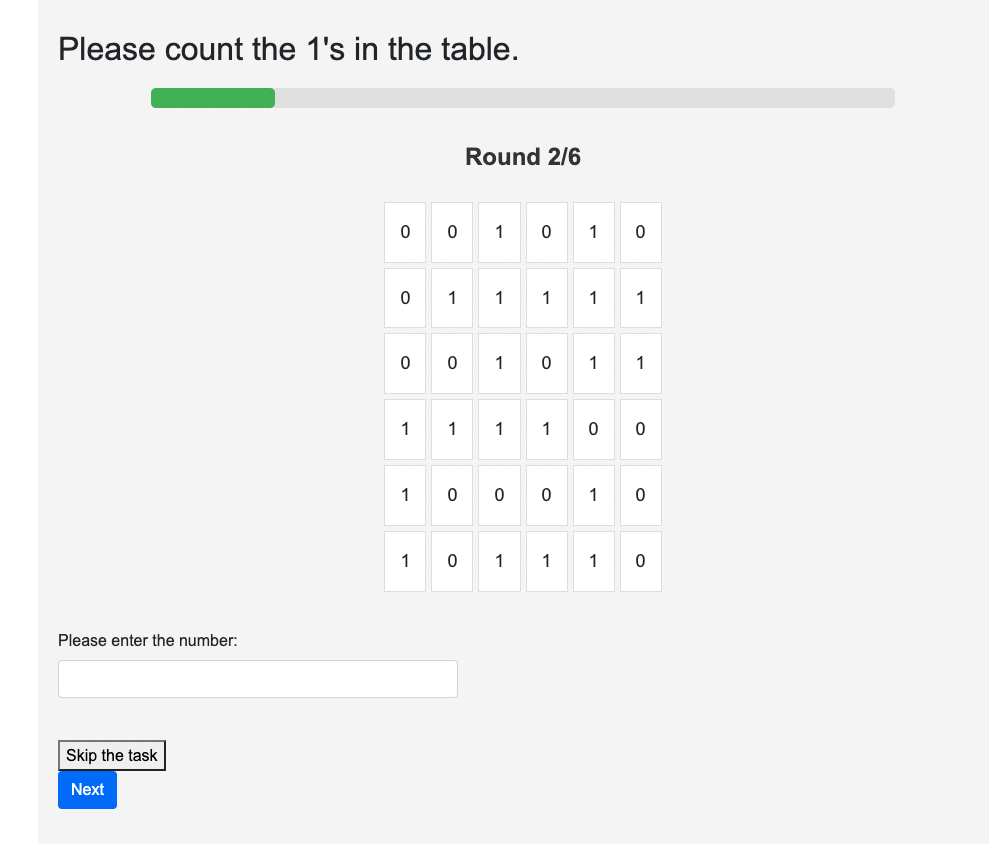
thank you for the suggestions. The problem is i do not have it split in two pages. They will see a matrix on each page and shall have the option to skip the task to proceed to the next page. The skip button is working, there is only one more problem. Since the number entered field is a integerfield blank= True, for instance, does not work. So the player still has to make an entry before skipping to the next page. I have attached my __init__.py file
Thank you so much!
#4 by mvogeley
Is it even possible to submit a empty integer field in otree without assigning it an initial value?
#5
by
BonnEconLab
I just checked. In a minimum working example,

class Player(BasePlayer):
    number_entered = models.IntegerField(label='Please enter the number:', blank=True)  # Store the entered number

in combination with

class MyPage(Page):
    form_model = "player"
    form_fields = ["number_entered"]

works perfectly fine.
#6 by mvogeley
Thank you so much! I would like to add that i had to combine this logic with player.field_maybe_none. I either had blank=true OR used player.field_maybe_none. Using both together did the job.
#7
by
BonnEconLab
By the way, if this is supposed to be an online experiment, I would strongly suggest to display the table of zeros and ones as an image. Alternative, generate numbers that are not only zeros and ones but, say, 0–9, and change the task to “Count how many of the numbers displayed below are greater than zero.”

Otherwise, participants can simply copy and paste the array of zeros and ones into, say, Excel, and the software will tell them immediately what the sum is – and that sum is identical to the number of ones in your task.

PS: I was amused by the gray background and the Arial font in your screenshot. Do you try to make oTree look like z-Tree? :-D
#8 by mvogeley
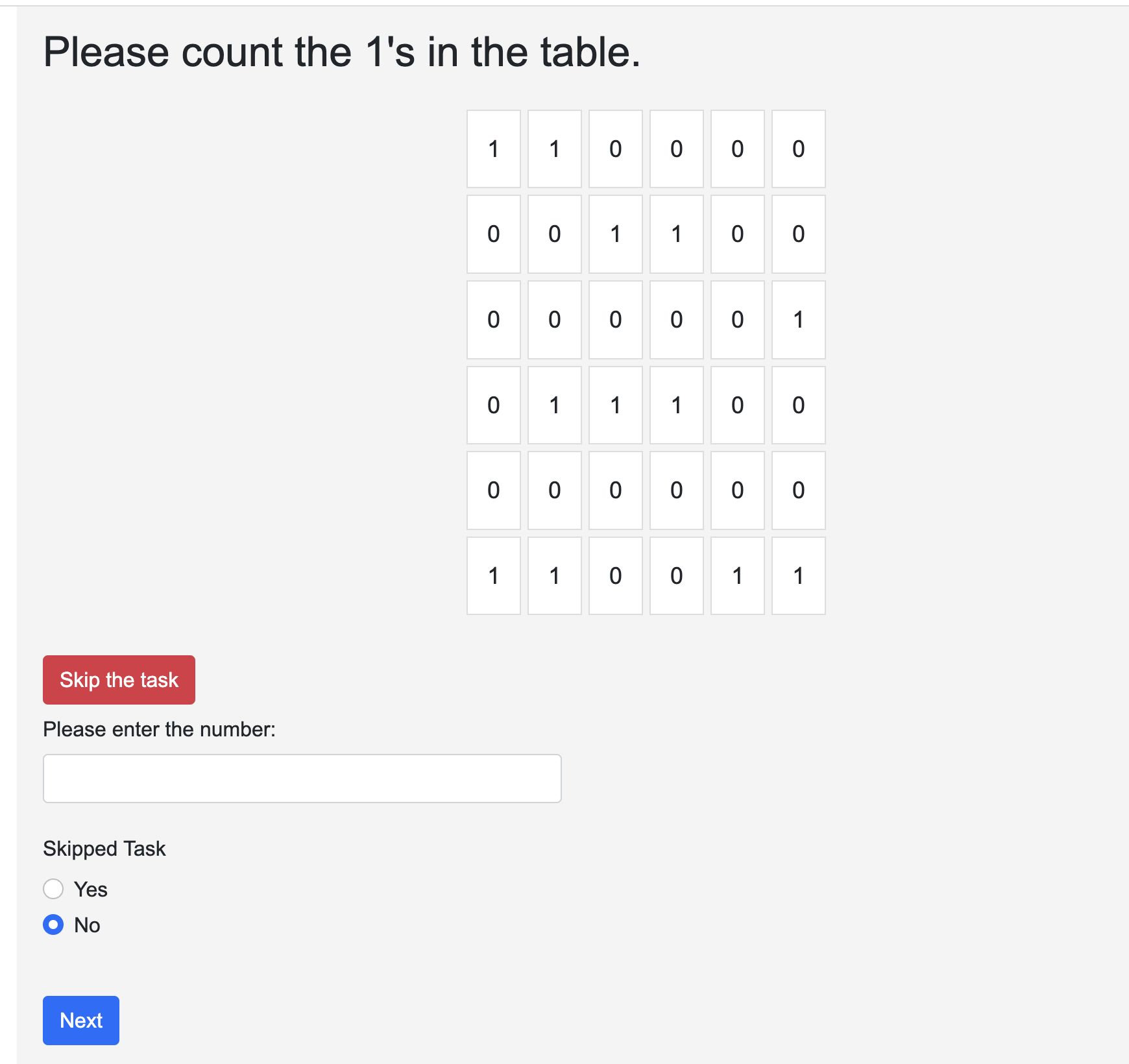
Thank you for the Suggestions :D I will try to transform them to an image. Still new to otree. Now i am facing the problem that it does not pass the information when the skip button was pressed to the data. Well, it does after including the button_skipped BooLean Field to my Page. But then i alwayxs have the Yes No Widget. Is there a way to get rid of this?
#9
by
BonnEconLab
Are you sure that you really need a separate player field to record that the task was skipped? You could also mark skipped trials by recording some nonsensical value for the number of ones counted.

That is, in you HTML template, include something like

<p>
    <button class="btn btn-danger" value="-999" onclick="skipTask()">Skip this task</button>
</p>

{{ next_button }}

<script>
    function skipTask() {
        document.getElementById("id_number_entered").style.visibility = "hidden";
        document.getElementById("id_number_entered").value = 5719930;
    };
</script>
#10
by
BonnEconLab
If you want to record two variables, include the following in the __init__.py file:

class Player(BasePlayer):
    number_entered = models.IntegerField(label='Please enter the number:')  # Store the entered number
    skipped_task = models.BooleanField(initial=False, blank=True)

Include the following in the HTML template (instead of {{ formfields }}):

{{ formfield "number_entered" }}
{{ formfield_errors "number_entered" }}

<p>
    <button class="btn btn-danger" name="skipped_task" value="1" onclick="skipTask()">Skip this task</button>
</p>

{{ next_button }}

<script>
    function skipTask() {
        document.getElementById("id_number_entered").style.visibility = "hidden";
        document.getElementById("id_number_entered").value = 5719930;
    };
</script>
#11 by mvogeley
Thank you so much for your input. I tried it different now. Instead of solving the problem with py i did it with js according to your suggestions. I want the participant only to press Next if they make an entry in the field.
It looks like the following now:
html template:

...... existing code
<br>
<button id="skip_button" class="btn btn-danger">Skip the task</button>
<br>

<!-- Input field for entering the number -->
<input type="text" name="number_entered" id="number_input" placeholder="Please enter the number:" oninput="checkInput()" required>
<br>

<!-- Next button, initially disabled -->
<button id="next_button" class="btn btn-primary" disabled>Next</button>

<script>
    // Function to enable the Next button only if there's an input
    function checkInput() {
        var input = document.getElementById('number_input').value.trim();
        document.getElementById('next_button').disabled = input.length === 0;
    }

    // Event handler for the Skip button
    document.getElementById('skip_button').addEventListener('click', function() {
        var input = document.getElementById('number_input').value.trim();
        if (input.length === 0) {
            document.getElementById('number_input').value = ''; // Clear the input
            document.forms[0].submit(); // Submit the form, which will handle the skip in before_next_page
        } else {
            // Alert the user if there's an entry when trying to skip
            alert('Please clear your entry before skipping.');
        }
    });
</script>

{% endblock %}

My __init__.py file now does not contain a additional skipped player field:

...existing code
class Start(Page):
    form_model = "player"
    form_fields = ["number_entered"]
    timeout_seconds = 30  #Für Control- und Treatmentgruppe 1 nicht anzeigen

    @staticmethod
    def before_next_page(player: Player, timeout_happened):
        entered_number = player.field_maybe_none('number_entered')
        if entered_number is None:
            player.result = "Skipped"
        elif entered_number == player.sum_of_numbers:
            player.result = "Correct"
            player.payoff = C.POINTS_PER_CORRECT_ANSWER
        else:
            player.result = "Wrong"
            player.payoff = cu(0)